Fast dispatch - Delivery typically 2–4 business days Australia-wide - Trusted Australian Retailer - 15+ years experience
Brother Wireless Network Card
Brother Wireless Network Card
Couldn't load pickup availability
Brother Wireless Network Card
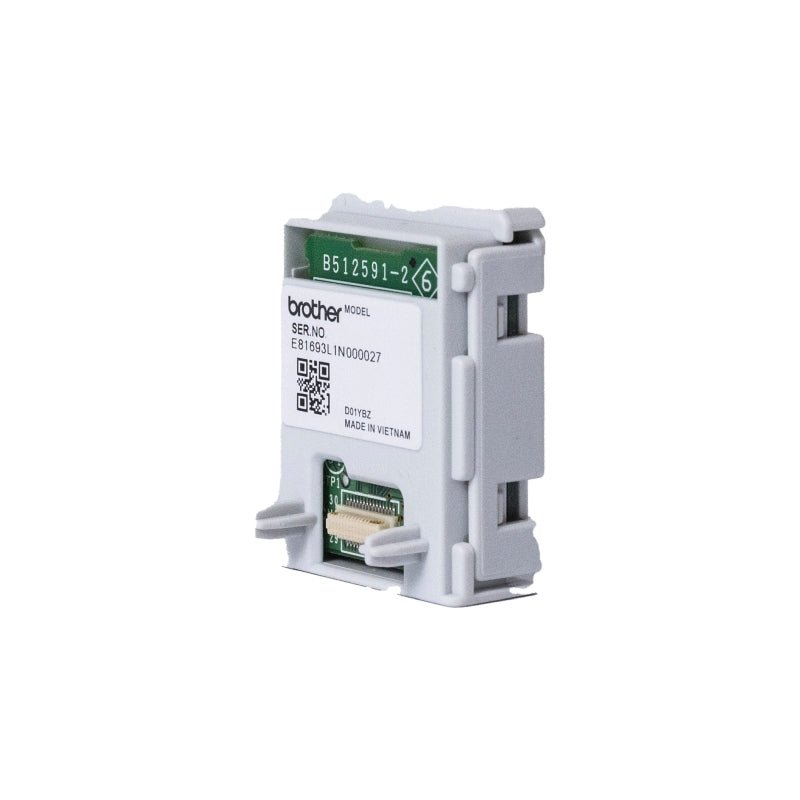
The Brother Wireless Network Card is a genuine accessory that enables Wi-Fi connectivity for your Brother printer or MFC. Instead of using cables, it allows wireless printing and scanning from devices across your network. Moreover, it supports dual-band Wi-Fi and Wi-Fi Direct®, making peer-to-peer printing possible. As a result, your printer gains flexible, reliable networking capabilities that enhance your workflow.
Flexible Wireless Access
With the wireless module installed, your Brother device can connect to 2.4 GHz or 5 GHz networks, giving you flexibility and reduced interference. It supports Wi-Fi Direct, which means you can print to the device without needing a router. Furthermore, it works seamlessly with mobile, laptop, and desktop platforms, enabling printing and scanning across your environment without cables.
Easy Installation & Integration
Installing the wireless card is simple. Most modules slide or snap directly into a dedicated slot on supported Brother printers. Afterwards, you configure network settings from the printer’s control panel or web interface. Moreover, the printer auto detects the new card and updates its network options. Because of this plug-in ease, you can set up wireless printing in minutes.
Genuine Quality & Compatibility
Because it’s a Brother original, the Wireless Network Card ensures reliable performance, full compatibility with firmware, and proper toner/drum coordination. Using non-genuine modules may cause errors or warranty issues. Also, official modules properly report status to the printer and support full printing features. Therefore, this card offers dependable connectivity without compromise.
Multipurpose Use Cases
Whether you’re in a shared office, home network, or mobile environment, this wireless card adds advanced connectivity. Use it to:
- Remove USB or Ethernet cable requirements.
- Allow multiple users to print and scan without rewiring.
- Place the printer in convenient locations away from routers.
- Use mobile apps like Brother Mobile Connect, AirPrint, etc.
- Simplify setup in dynamic networks or shared spaces.
Specifications